Workflows
Recent items mentioning Workflows across the Databricks ecosystem — releases, news, videos, and community Q&A. Updated hourly.
Modern Databricks pipeline architectures are centering on Lakeflow Connect for CDC, Spark declarative streaming, and Unity Catalog governance 3. Meanwhile, dbt released updates spanning autonomous agents, Fusion, and developer experience for Databricks workflows 1, complemented by Databricks guidance clarifying how to delineate LLM versus broader AI tooling across data pipelines 2.
Written September 2026 from the 3 most recent items mentioning Workflows at that time. It refreshes when this topic next has enough new material. Click any [N] to jump to the source.
Databricks AI Runtime and NVIDIA make it easier to customize open models with enterprise data
Databricks AI Runtime (AIR) is now generally available, letting teams train and fine-tune models on serverless NVIDIA GPUs with NeMo and containers, alongside governed enterprise data and without managing GPU infrastructure. It pairs NVIDIA Kumo models for structured-data predictions and Nemotron Retriever models for finding evidence in unstructured data, with Genie Code, NVIDIA-specific Agent Skills and joint Nemotron cookbooks to help you get started.
ADF vs Databricks Workflows — When to Use Which
Databricks Apps vs Power Apps -/ which to use when you need a UI for business rules? (cost-sensitive)
Hi everyone, I’m deciding between Databricks Apps and Microsoft Power Apps for a simple but important need and I’d love your experience/advice. Context: • I have models and data processing in Databricks (already built a demo + deployment using Databricks). • Need a small UI so business users can edit/add rules (stored in a table) that our models use. • I care a lot about cost. I don’t have an easy way right now to start/stop Databricks compute to save money. • I already run regression tests and understand Databricks workflows, but I don’t fully know the real benefits of Databricks Apps vs Power Apps for this use case. Questions: 1. For a rules-editing UI (CRUD for a rules table) what worked better for you: Databricks Apps or Power Apps? 2. Cost-wise, which is cheaper to build/run for low-traffic business users? 3. Any recommended patterns to connect a low-code UI (Power Apps) to Databricks compute securely and cheaply? 4. If you chose Databricks Apps, how do you reduce runtime cost — do you use job clusters, serverless endpoints, or something else? I have this decision tree (WIP).
What's shipped in dbt — May 2026
May 2026 brings a roundup of dbt shipments since January, covering agents, Fusion, security, developer experience, dbt Core, and more. This post details all the product changes relevant to your Databricks workflows.
Databricks is now supporting Microsoft Outlook in Lakeflow Connect (Beta)
Azure Databricks has introduced a managed Microsoft Outlook connector for Lakeflow Connect, currently available in Beta, enabling organizations to ingest Outlook email data directly into Azure Databricks. With this new connector, teams can now integrate Outlook-based communication data into analytics, governance, automation, and AI workflows more efficiently. https://preview.redd.it/8r0xry5yz50h1.png?width=1402&format=png&auto=webp&s=78ae55a64c3df3d47b0edcb4ed6f246f421e7b08 Key capabilities currently supported: * Incremental ingestion * Unity Catalog governance * UI & API-based pipeline authoring * Databricks Workflows orchestration * Declarative Automation Bundles * Column selection/deselection Supported authentication: * OAuth M2M (Machine-to-Machine) Current Beta limitations: * SCD Type 2 support * Automated schema evolution * API-based row filtering * Multiple tables per pipeline (currently limited to 1) Since the connector is still in Beta, workspace admins must enable the feature from the Previews page before use. Nice to see Databricks continuing to expand Lakeflow Connect integrations across enterprise ecosystems. [Source Link](https://learn.microsoft.com/en-us/azure/databricks/ingestion/lakeflow-connect/outlook-overview)
LLM Vs AI: A Practical Guide to Differences, Use Cases, and Tools
LLMs are a subset of AI, and this guide clarifies their practical differences, use cases, and tools. Understand how LLMs fit into the broader AI landscape and what that means for your Databricks workflows.
 Tutorials
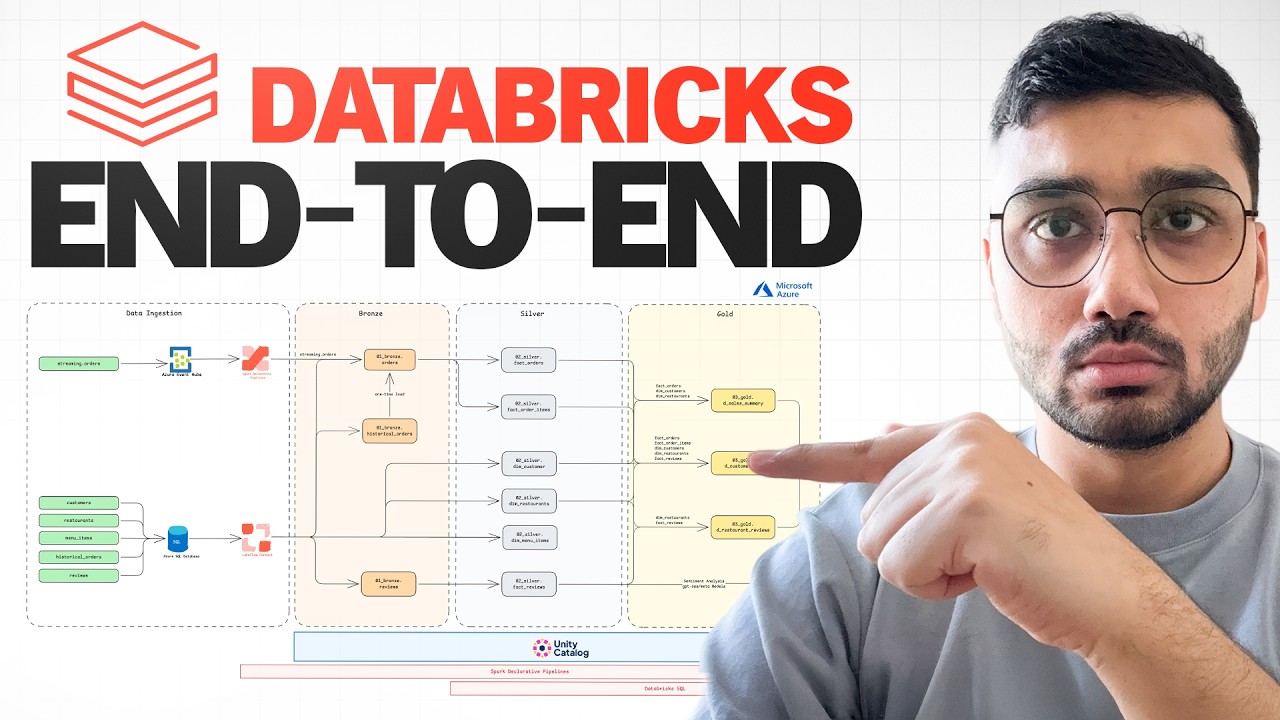
Databricks End-To-End Project | Zero-To-Expert | Streaming, AI, Lakeflow, Unity Catalog, AI/BI
This video demonstrates building an end-to-end restaurant analytics platform on Databricks, covering streaming and batch data ingestion, AI-powered sentiment analysis, and dashboard creation. It teaches how to use Unity Catalog, Lake Flow Connect for CDC, Spark declarative pipelines for real-time data from Event Hub, and how to construct a medallion architecture with fact and dimension tables.
 Tutorials
Orchestration With Lakeflow Jobs
Lakeflow Jobs is a native orchestrator for Databricks that automates data workflows through scheduling, data-triggered execution, and built-in observability without requiring external tools. The presentation demonstrates building an end-to-end ETL pipeline with data ingestion from Salesforce, transformation via Delta Live Tables, and automated dashboard updates, all configured through a visual UI.
 News
From Days to Seconds — Reducing Query Times on Large Geospatial Datasets by 99%
The Global Water Security Center reduced geospatial query times from days to seconds by implementing Databricks medallion architecture with H3 spatial indexing and autoloader data ingestion on 30-billion-row datasets. This achieved a 99% query time reduction, saving approximately $1 million annually in labor costs and enabling analysts to self-serve analysis workflows through automated notebook orchestration.
 News
Scaling Data Engineering Pipelines: Preparing Credit Card Transactions Data for Machine Learning
Delta Lake's partitioning, z-ordering, and file compaction reduced Mastercard's 10+ petabyte transaction table file count by 70% and improved query performance by 80%. Databricks Workflows' foreach operator enabled parallel processing across multiple clusters, completing nine months of graph network computation in two days.
 News
Creating a Custom PySpark Stream Reader with PySpark 4.0
The video demonstrates how to create a custom PySpark 4.0 streaming data source by implementing Python classes that inherit from the new data source interfaces. It walks through building a custom stream reader to ingest data from an unsupported messaging system like Apache Active MQ directly into Delta tables.
Added migrate-dlt-pipelines command for Delta Live Tables migration from HMS to UC and expanded HMS Federation to support MSSQL and PostgreSQL. Fixed schema skip/unskip functionality and enhanced local code migration with automatic fixing capabilities via the improved migrate-local-code command.
 News
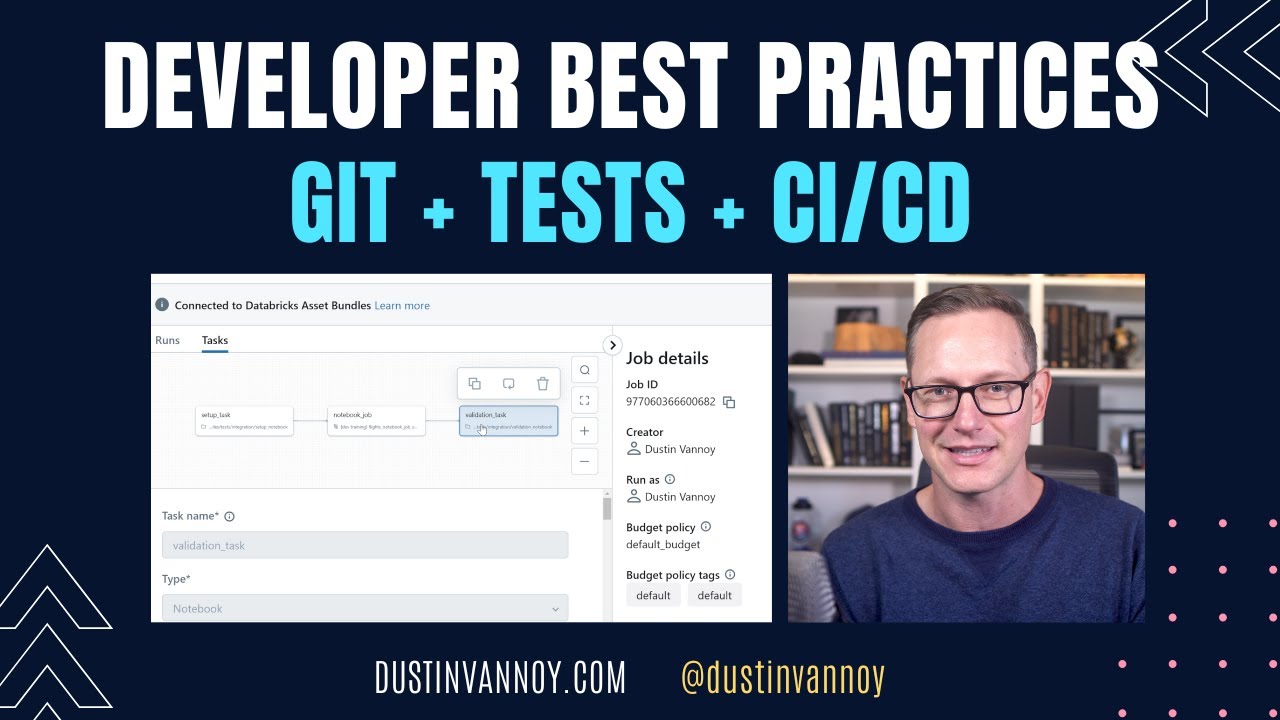
Developer Best Practices on Databricks: Git, Tests, and Automated Deployment
Implement Git version control with branching and automated testing—unit, integration, and system tests—before merging code to maintain quality. Automate deployments across isolated environments using Databricks Asset Bundles and GitHub Actions to ensure consistent, error-free releases.
 News
Five Things You Didn't Know You Could Do with Databricks Workflows
The video demonstrates advanced Databricks Workflows features including serverless jobs, repair and rerun capabilities for failed tasks, and late-job notifications. It also covers orchestrating external tools like DBT, managing modular jobs, and utilizing file arrival triggers for automated orchestration.
 Events
Embracing the Future of Data Engineering: The Serverless, Real-Time Lakehouse in Action
Databricks demonstrates a serverless real-time lakehouse architecture by streaming mobile phone sensor data into a cloud pipeline. The presentation features live ingestion through Kinesis, Delta Live Tables, Apache Spark structured streaming, and cross-cloud data sharing using Delta Sharing.
 News
US Army Corp of Engineers Enhanced Commerce & National Sec Through Data-Driven Geospatial Insight
The video details how the U.S. Army Corps of Engineers modernizes its National Dredging Quality Management program by migrating from a legacy on-premises Oracle stack to a Databricks lake house architecture. It demonstrates how this cloud migration processes billions of streaming vessel telemetry points in under a minute to enhance real-time geospatial analytics, automation, and decision-making for national waterways.
 News
What’s New in Databricks Workflows -- With Live Demos
Databricks workflows provides a unified lake house orchestrator that simplifies running complex tasks and managing dependencies. The platform features new capabilities such as conditional branching, visual monitoring, automated data triggers, and serverless compute options.
 Tutorials
Databricks Asset Bundles: A Standard, Unified Approach to Deploying Data Products on Databricks
Databricks asset bundles allow teams to use YAML configuration files and the Databricks CLI to write code once and deploy data products consistently across development, staging, and production workspaces. The tool helps standardize CI/CD workflows, co-version project code with configurations, and manage cloud resources such as jobs and Delta live tables.
 News
Introduction to Data Engineering on the Lakehouse
The video explains how the Databricks lake house platform unifies data lakes and data warehouses to simplify data engineering, governance, and analytics. It demonstrates building automated data pipelines using Delta live tables for ingestion and transformation, and databricks workflows for orchestration.
 Tutorials
Orchestration Made Easy with Databricks Workflows
Databricks Workflows provides reliable orchestration for data, analytics, and AI on the lakehouse, enabling users to orchestrate tasks across any platform and any cloud. The video demonstrates how to use the Databricks Workflows user interface to easily create, monitor, and manage complex jobs and pipelines without writing code.
 Tutorials
Migrate Your Existing DAGs to Databricks Workflows
Databricks Workflows enables users to migrate existing Directed Acyclic Graphs (DAGs) and consolidate orchestration within a single lakehouse environment. The video demonstrates how to recreate simple and complex Airflow DAGs using Databricks notebooks, SQL queries, Python scripts, and dbt tasks.
 News
Turbocharge your AI/ML Databricks workflows with Precisely
Precisely integrates with Databricks to provide a location enabled lakehouse that enriches business data with precise IDs, geospatial attributes, and dynamic weather conditions. This platform allows data scientists and analysts to analyze risk, manage assets, and improve decision making using spatial datasets and machine learning workflows.