Serverless
Recent items mentioning Serverless across the Databricks ecosystem — releases, news, videos, and community Q&A. Updated hourly.
What is Serverless?
Serverless compute means Databricks runs the machines for you. Rather than provisioning clusters in your own cloud account, you select serverless and Databricks allocates and manages the compute behind your notebooks, jobs, and Lakeflow pipelines. Serverless SQL warehouses, model serving, and AI features run on the same kind of infrastructure through their own configuration paths.
The point is to make cluster management stop being part of your job. There's no instance type to pick, startup and scaling are faster, and idle time is minimized. It's available by default in most workspaces with no setup, though legacy workspaces that aren't enabled for Unity Catalog don't have access.
It's also opinionated. Only Spark Connect APIs are supported, Scala and R don't work in notebooks, most Spark configurations and init scripts are unavailable, and runs are capped at 7 days. Workloads that fit inside those lines get simpler; the rest still have classic compute.
How is serverless different from classic compute?
With classic compute you provision and manage clusters in your own cloud account, choosing instance types and sizes. With serverless, Databricks allocates and manages the resources, which speeds up startup and scaling, minimizes idle time, and reduces the need to manage compute.
What are the main limitations of serverless compute?
Scala and R aren't supported in notebooks, only Spark Connect APIs work (no RDD APIs), and most Spark configurations, init scripts, instance pools, and compute policies are unavailable. Runs also have a maximum runtime of 7 days, after which the platform terminates them.
Is serverless available in my workspace?
It's available by default in most workspaces with no manual setup. The main exception is legacy workspaces that aren't enabled for Unity Catalog, which don't have access to serverless compute.
Does serverless cover SQL warehouses and model serving too?
Yes, but separately. Serverless compute as a selectable option applies to notebooks, jobs, and Lakeflow pipelines, while serverless SQL warehouses, model serving, and AI features use serverless infrastructure independently and have their own configuration paths.
Sources: Serverless compute overview (Databricks docs) · Serverless compute limitations (Databricks docs)
Serverless compute gained DataFrame caching in Public Preview, so df.cache() and df.persist() now work there 2. Serverless version 6 and new network gateways arrived alongside Lakeflow Jobs and DAB updates 8, and a separate thread covers simplifying networking for serverless 10. Cost clarity is still a pain point: users report serverless charges on a managed ingestion pipeline below the 100 DBUs/day threshold 3 and ask how Lakeflow Connect CDC pipelines are priced 4.
Generated daily from the 10 most recent items mentioning Serverless. Click any [N] to jump to the source.
Anyone playing around with Databricks Apps yet? Thoughts & initial impressions
Hey everyone, I’ve been testing out the new Databricks Apps feature recently, and I wanted to see how others in the community are using it. Historically, if we wanted to spin up a Streamlit app or a custom dashboard connected to Databricks, we had to deal with separate hosting (App Service, EC2, etc.), network security groups, and handling OAuth tokens separately. With Databricks Apps, running a Streamlit/Dash app directly inside the workspace using Unity Catalog for permissions has been a game-changer for internal tooling. That said, I'm curious: Are you using it for production workloads or just quick internal prototypes? How are you handling CI/CD deployments for these apps? Have you run into any limitations with serverless compute or scaling yet? submitted by /u/SalamanderOpen859 [link] [comments]
DataFrame caching is now in Public Preview on Databricks serverless compute: df.cache() and df.persist() finally work there
But it is not the cache you know from classic clusters, and the differences will bite if you port code without reading them. Until now, an iterative workload on serverless recomputed its plan on every action. A notebook that hits one expensive join ten times, or a feature loop over the same base table, was a common reason to keep a classic cluster around. That reason just got a lot weaker. Read more: linkedin post submitted by /u/Lenkz [link] [comments]
Serverless compute charge on managed ingestion pipeline despite 100 DBUs/day not reached
Costing of Lakeflow Connect Integrated CDC Pipeline
Hi All, Currently I'm facing the issues in finding the costing of the integrated cdc pipelines, I'm not using serverless compute in pipelines and before 1st Oct in usage system tables we were getting the entries and in usage_metadata column we were getting the dlt_pipeline_id, but after 1st Oct this values is comming as null. Is there any other way to calculate the costing of these pipelines. submitted by /u/Swimming-Regular6674 [link] [comments]
Python Asynchronous TransformWithState for Streaming is now GA
Hi folks, we are excited to announce that Python Asynchronous TransformWithState (Async TWS) is now GA for Structured Streaming. What is it? Async TWS speeds up stateful streaming queries in Python by executing the stateful processor concurrently across keys and batching state store operations, which can improve throughput by up to 3x. The async API mirrors the existing synchronous TransformWithState : You implement AsyncStatefulProcessor instead of StatefulProcessor and apply asyncio syntax changes (e.g, async def and await ). Third-party async libraries are welcome but not required to start seeing performance gains. The AsyncStatefulProcessor is a drop-in replacement for the StatefulProcessor so you can switch implementations while reusing your checkpoint. See here for examples. What is supported Python row-based transformWithState Both Micro-Batch and Real-Time Mode DBR 19+ or serverless compute with environment version 6+ Structured Streaming; SDP on the Preview channel, with SDP Classic enabled once it reaches DBR 19 Because handleInputRows and handleExpiredTimer now run concurrently across keys, make sure any shared member state or external calls are safe for concurrent execution. Learn more at https://docs.databricks.com/aws/en/stateful-applications/async Questions and feedback welcome in the comments. submitted by /u/New_Woodpecker_1631 [link] [comments]
Release v1.22.0 adds support for the features resource type, lets bundle deployment bind and unbind accept type.key references, and removes the 50-workspace limit in auth login. It also adds DATABRICKS_BUNDLE_STRICT_PROFILE_MATCH for exact profile matching, and release binaries now require macOS 13 Ventura or later.
Databricks compute management is so bad
Why serverless pipelines have to wait 10 minutes to get compute? Why don’t you track the compute usuage across region or pool and already keep certain number pre warmed computes available?? I don’t want to pay more money for performance optimized serverless compute. submitted by /u/PerceptionBig940 [link] [comments]
 News
Databricks Breaking News: Lakeflow Jobs, DABs, Apps, AI, Private Network Gateway
The video covers multiple new updates in Databricks, including Lakeflow connectors, task value loops, state repartitioning, DAB enhancements, SQL functions, serverless version 6, Unity Catalog skills, app spaces, and network gateways. It demonstrates how to configure Lakeflow job tasks, implement task value loops, and manage serverless compute permissions and environments.
Tag propagation
Currently, we have a complex setup utilizing the lineage in Databricks to propagate governed tags. I was looking forward to the new tag propagation feature announced at Summit. I am a bit disappointed to see that it only works with serverless compute. Does anybody know if this is a beta limitation? submitted by /u/Entire_Force_1146 [link] [comments]
Simplifying networking for serverless
Hey folks, I'm a PM working on platform at Databricks. We just shipped Private Network Gateway (PNG) to public preview on Azure (PrPr on AWS, coming soon on GCP). The problem we were solving: Connecting serverless compute to private resources like databases, Kafka streams, internal APIs, MCP servers, etc. meant creating a separate private endpoint / proxy VM for each one, plus coordination with your network and security teams. That seemed manageable for a few endpoints, but quickly got painful once you needed to reach many resources across peered VNets or on-prem. What PNG does: You delegate one subnet in your VNet/VPC to Databricks, and serverless traffic reaches that subnet through a managed, encrypted gateway. From there your existing routes, DNS, and firewall rules decide what's reachable, the same way they would for classic compute. You can route to specific destinations or send all egress through your own firewall with your own source IPs. There are no gateway VMs to deploy, patch, or scale; we manage them on our side. Would love this community's take on: Is networking a friction you've run into with serverless compute? What are the most important resources for you to connect to? If you've reviewed the docs or tried the feature, is there anything missing you'd like to see supported? Here are the Azure docs for reference. And a quick visual of the problem we're solving: https://preview.redd.it/xbvv9d4cfkvh1.png?width=1920&format=png&auto=webp&s=f1032c93f7a49939765a1a19117ee990e45d4939 submitted by /u/databricksplatform [link] [comments]
 Tutorials
Why Is Databricks Express Setup So Easy?
Databricks express setup provides a no cloud credentials required method to launch a fully managed production capable workspace using a time and credit limited trial. Users can sign up with email, configure account settings and regions, and immediately access features like sample data and serverless compute.
Millions in Vacuumable files, but only 10-20 GB recovery size
Hello Folks. Wanted your opinion on something - I am seeing numerous cases of our tables having millions of redundant vacuumable files, but total recoverabke capacity is only 10-20 GB . Is it worth Vacuuming them? My sense is that the DBU and ADLS listing charges will be more than cost of that storage. Is there any instance where Vacuuming will pay off. Also, if deciding to Vacuum - what is better, Job Compute or Serverless SQL Small Size. Thanks. submitted by /u/Lumiaman88 [link] [comments]
Serverless compute is not available in my account/workspaces
system.query.history is now Generally Available in Databricks
Until now, answering "which query is eating our warehouse?" or "who changed that table?" meant clicking through the Query History UI one workspace at a time. Now it is a SELECT. The table logs every statement run on SQL warehouses, serverless compute, and Lakeflow pipelines, across all workspaces in the same region. Read more on LinkedIn: https://www.linkedin.com/posts/cenh_databricks-dataengineering-systemtables-ugcPost-7511094425977016320-L7uj/?utm_source=share&utm_medium=member_desktop&rcm=ACoAABmJHrsBNAC3x3H1M58JRKoHv_l4D61n0-8 submitted by /u/Lenkz [link] [comments]
Laya off the benchmark: can a zero-shot decision model route real SQL traffic?
Weekend-ish experiment on Databricks. One table, TPC-H orders, 15M rows, living in two places at once: Lakebase (Databricks' managed Postgres), a continuously synced copy with a btree index on the key. Sub-100ms point lookups, useless for a GROUP BY over 15M rows. Delta behind a serverless SQL Warehouse. Great at scans and aggregations, slow at fetching one row. The synced table is the nice part: native continuous Delta to Lakebase Postgres (needs a PK + CDF), so it's one dataset under one Unity Catalog, replication handled by the platform instead of a homemade pipeline. Then I put laya (convaiinnovations/laya, a non-autoregressive zero-shot decision model, vanilla, no fine-tuning) behind a FastAPI Databricks App. It reads each query and picks the engine. MLflow traces input to decision to execution. I submitted by /u/Limp-Park7849 [link] [comments]
Which Came First For You... Spark or Databricks?
Saw a post this morning claiming you shouldn't touch Databricks until you've already mastered Apache Spark. That advice is backwards. It treats learning like a 90s waterfall project and traps engineers in tutorial hell. The fundamentals are non-negotiable: - You need SQL and Python. - You need to understand distributed shuffles, partitions, and memory spills. - You need to understand Parquet structures, metadata footers, and row groups. - You need to understand Delta Lake transaction logs and ACID guarantees. If you don't know what happens under the hood, you will write brittle pipelines that burn cloud budgets. The false assumption is that you must learn these concepts in an abstract vacuum before touching a modern platform. You don't learn networking by memorizing RFC packet headers on a whiteboard for six months before opening Wireshark. You fire up the tool, capture packets, and inspect the traffic. Databricks, Fabric, or Snowflake is your network analyzer. It is the laboratory. Nobody in enterprise production is setting up bare-metal Spark clusters on a home lab just to learn how shuffles work. And running local[*] on a laptop masks real-world distributed realities: - Local filesystems use POSIX atomic renames. Cloud object stores (S3, ADLS) do not. You cannot truly grasp why Delta's _delta_log exists until you see it write commits against cloud storage. - A local JVM masks network serialization, executor skew, and cross-node shuffle overhead. The caveat: don't treat the platform as a black box. Don't just click "Run All" on serverless compute and assume you know Spark. Use the platform to inspect the engine: - Run .explain(True) and read the physical plan. - Open the Spark UI to watch tasks, stages, and memory spill. - Inspect the JSON commits inside _delta_log after a merge operation. - Compact small files and see how file pruning changes scan times. You don't master the theory first and then graduate to a platform. You master the fundamentals by using the platform as your workbench. Learn the platform. Learn the engine. Learn the storage layer. Do it concurrently, in the environment where production actually lives. submitted by /u/OkImprovement7010 [link] [comments]
How I explain classic vs serverless compute, and the limitation list I check before migrating a job
Before you move a job to serverless: the limitation list is the real decision, not the startup time
Most classic-vs-serverless comparisons stop at "serverless starts faster and Databricks manages it". True, but that is not what decides it in practice. Where they differ structurally: with classic compute the control plane asks your cloud provider for VMs, and the cluster runs in your own account and network, so you pick instance types and own the networking, and you pay the cloud provider for machines plus Databricks for DBUs. With serverless, the docs say resources run in "the serverless compute plane, which is managed by Databricks" and you provision nothing in your own cloud account. Your tables stay in your own storage in both cases. What actually decides it is the limitation list: - R is not supported - compute-scoped libraries and compute-scoped init scripts are not supported - only Spark Connect APIs are available, so the Spark RDD APIs are out - streaming: Trigger.AvailableNow() is supported, Trigger.Continuous(interval) and Trigger.ProcessingTime(interval) are not - maximum runtime is 7 days; a run that exceeds it is terminated and not retried So: serverless for SQL warehouses, ad hoc exploration and spiky jobs where waiting for a cluster is the real cost. Classic when you need a specific instance type or GPUs, cluster-scoped libraries, R, RDD code, a continuous stream, or your own network setup. I drew both paths side by side as a short animated diagram (2:36): https://youtu.be/s8452E2Y6WM Series in order: https://www.youtube.com/watch?v=B5iHmoYgnqY&list=PLDB5WDkDOYF4 For those who have moved production jobs across: what caught you out that is not on the documented list? submitted by /u/Broad-Cherry-5999 [link] [comments]
Serverless compute returns 403 on S3 buckets in the account-regional namespace
using remote_query with SQL Serverless Warehouse
Databricks Serverless Compute: Practical Recommendations, Cost-Performance Guidance, and When to Use Serverless Instead of SQL Serverless Warehouses or Classic Clusters
Databricks Serverless compute is a snappy choice for every-day queries with some cost trade-offs. For ETL workloads, it is both fast + cost-efficient. In either scenario and unlike common misconception, there is no cluster fine-tuning needed. Some more detailed takeaways from some testing on my coffee dataset + practical guidance below. Quick disclaimer: I work for a Databricks aligned consulting company. All reporting and recommendations here in any direction are independently made. General Observations from Performance Testing 1) Speed wise, much to my surprise, Serverless beat some of my previous Databricks’ SQL Serverless performance testing. Not across all queries, but in nearly half. 2) Databricks’ SQL Serverless compute is still the best compute option from a pure cost-perspective when it comes to “every day” analytics needs, but from an ETL perspective, “Serverless” is very comparable, without the trial & error of even doing t-shirt sizing, let alone knobs. 3) The scaling time to support an initial large workload was noticeable on the first query and does have room for improvement. I did a dummy print() statement right before (which took like 1-2 secs to warm up). Then hitting that first query containing the joins and 7B+ rows fact table clearly gave the engine something to chew on. For reference, on my SQL Serverless test a while back, the same query took about 20 secs on a large, 15 on XL. Practical Serverless Recommendations 1) If I was orchestrating ETL workloads with SQL and/or Python, I’d use Serverless compute as the cost of Serverless for jobs is pretty darn affordable. My concerns around costs are completely negated when it comes to jobs compute. For new ETL workloads, Serverless is an easy choice for me. For existing ETL workloads, I’d try out to see if Serverless lowers your costs and/or improves performance. Also explore any potential compatibility issues. If you have heavily fine-tuned workloads, that don’t really require much maintenance, migrating the workload might not be best. 2) For daily Python work on established Databricks environments, I would consider trying Serverless. Not having to wait for clusters to boot up and fine-tuning is likely going to lead to productivity gains offsetting any higher costs from interactive Serverless compute itself. No more “left the cluster on by accident” or “I oversized it” type of situations. That said, there are orgs with very experienced folks where cluster management feels like second nature to them. 3) If I was exclusively working with analytical SQL workloads, I’d still use Databricks’ SQL Serverless compute for my day to day queries + dashboards. 4) For folks new to Databricks, I would generally stick to “Serverless” compute all around, and use the “SQL Serverless” warehouses only for BI type experiences. Closing Thoughts on Serverless Having very performant compute without worrying about any configurations (other than rate limits to give you cost controls if you wish) is quite nice from a productivity standpoint. No node count, DBR versioning, t-shirt sizing, nothing. You have plenty of compute options, with or without fine-tuning ! I stress this "no fine-tuning" because there is a plethora of LLM generated articles outdated on Databricks' compute options. Thank you for reading! *No AI was used to write or assist in writing this post. For better or for worse. **Dataset and queries used, configured for the 7B+ row count: https://github.com/joshbogran/coffeeshopdatageneratorv2 submitted by /u/JosueBogran [link] [comments]
 Tutorials
Deploy an Azure Databricks Serverless Workspace in Under 2 Minutes | Step-by-Step Tutorial
Deploy an Azure Databricks serverless workspace through the Azure portal by selecting your subscription and resource group, configuring the workspace name, choosing your region and premium pricing tier, then reviewing and creating the deployment. The entire process takes approximately 2 minutes to complete.
Unable to Start Serverless Compute in Databricks Free Edition
Cost-optimized way to reflect source DB changes in Silver in <1 minute?
Due to new business requirements, we need to reflect the state of a few source DB tables (5 to 40 million rows each) in the Databricks Silver layer in less than 1 minute. Currently, the flow looks like this: Source DB → AWS DMS in CDC mode (ingests new data every 30 seconds to S3) → S3 landing bucket → DLT pipeline running on serverless compute in continuous mode. The DLT pipeline ingests the append-only data into the Bronze layer using file notification mode and updates the Silver layer using an Auto CDC flow. This works great, and we achieved what we wanted with relatively low effort because we already had DMS in place. We just added an extra replication task to ingest data more frequently for the tables we need. However, in this setup, the DLT pipeline costs are quite high. Ingesting just 6 Bronze tables and 6 Silver (Auto CDC) tables costs around $50 per day, which is about $1,500 per month. For comparison, DMS, which replicates more than 800 tables to S3, costs us less than half of that. My question is : is there any other more cost-optimized option we could consider to achieve less than 1 minute latency when reflecting the source DB state in the Silver layer? Maybe Lakeflow Connect or some custom process? Extra notes: - I know that adding more tables to the DLT pipeline makes the cost per table lower because Databricks can optimize the clusters more efficiently. - I know that using a cron schedule could reduce costs, but for these particular tables, we can’t use a schedule like every 10 minutes or similar because we need the data to be updated in less than 1 minute. - I know that for the relatively small tables currently in scope, we could eliminate the Auto CDC flow and create a normal view on top of the Bronze table, with deduplication and deletion logic. This would slightly sacrifice query performance, but we expect more similar use cases in the future, so I’m looking for a solution that can scale. submitted by /u/CyberEnzo [link] [comments]
 Tutorials
Connect VS Code to Databricks: The SSH Tunnel Guide
Databricks' SSH tunnel feature lets you connect local IDEs and coding agents directly to your workspace, enabling you to edit and run code on Databricks compute while keeping files automatically synced. The connection supports multiple IDEs through either CLI commands or an extension, with options for serverless compute, GPU acceleration, and base environment management to avoid reinstalling dependencies.
Serverless compute resolves some public domains but not others
What’s new in Databricks - August 2026
Databricks shipped many major Generally Available features in August 2026. Here is the breakdown of what just landed: 🚀 Unity AI Gateway Enterprise AI governance layer covering model access, Model Context Protocol (MCP) management, and cost observability. 🔒 Role-Based Access Control (RBAC) Switch to scoped, temporary role assumptions instead of dealing with permission bloat. 🔑 Secrets in Unity Catalog Unified security secrets are now governed, 3-level namespace securable objects. ⚙️ Serverless Compute Access Control Granular admin controls over who can trigger serverless workloads across your organization. ⚡ Lakebase Postgres APIs & LTAP Direct Writes Accelerated synced-table loads and improved transactional data integration. 🤖 Genie Agent Upgrades Official GA releases for both the Agent mode API and Full-page Genie Code view. submitted by /u/Youssef_Mrini [link] [comments]
Clarification on Automating Serverless Compute Permissions via SDK/API
Error While Running Workloads on Databricks Free Edition – Serverless Compute
Does Photon support CSV?
Ok so I know that the docs state that CSV is supported. But when trying to read a very standard CSV file I get poorer than expected performance and in the Spark UI I see that it's not using a Photon scan operator, just regular Scan CSV followed by a Row to Columnar conversion operator. https://preview.redd.it/1amu93oqqslh1.png?width=260&format=png&auto=webp&s=4ca1c1ffec6cb6f6cd484b4645b0b5d7c5f6be86 I'm not running anything complex: df = ( spark.read .format("csv") .option("header", "true") .schema(schema) .load(csv_path) ) df.write.mode("overwrite").saveAsTable("...") I also checked reading the same CSV and a difference CSV via DB SQL (using `COPY INTO`) and see low task time spent in Photon + a row to columnar operator. https://preview.redd.it/g1tlotk8rslh1.png?width=940&format=png&auto=webp&s=f3d2b22ebab4f716c5b6831d96305c082e1126a8 DBR 19 + Serverless SQL Warehouse (current) Can anyone explain whether or not CSV is supported and in what conditions? This was quite a surprising find as I assumed that Photon supported pretty much everything. submitted by /u/Common_Jaguar474 [link] [comments]
"List columns" statements when querying Databricks via ODBC
I've got an old .NET app running on Windows Server. The app submits queries to a serverless SQL Warehouse. I've noticed that each query ( SELECT statement) submitted by the app results in three statements in the SQL Warehouse. One statement containing the query submitted by the app, and two statements that look like Listing columns 'catalog : foo, schemaPattern : foo, tablePattern : resultssettable, columnName : null' . The query might take 200ms to execute. The "Listing columns" statements take about 90ms each to execute. In aggregate, these "Listing columns" statements double the duration of queries sent to this warehouse. How do I get rid of these freak'n "Listing columns" statements? Here is what I've done/tried: Tables in the query are full qualified with catalog and schema. Query specifies the names of the columns to retrieve (i.e., not a SELECT * FROM ... ). I have Use Native Query enabled in the DSN. I have Fast SQLPrepare enabled in the DSN. Enabling Ignore Tables Metadata from All Schemas in the DSN makes no difference. I configured the Databricks ODBC driver to pool connections. I have the 64-bit Databricks ODBC driver installed, version 2.11.00.1005. I don't have access to the .NET apps source. I have been using the following PowerShell script to recreate the issue and test configuration changes: $dsn = "DSN=Test Connection" $sql = @" SELECT col1 , col2 , ... FROM dev.foo.bar WHERE whatever = 1; "@ $conn = New-Object System.Data.Odbc.OdbcConnection $dsn try { $conn.Open() $cmd = $null $cmd = $conn.CreateCommand() $cmd.CommandText = $Sql $cmd.CommandTimeout = 30 $adapter = New-Object System.Data.Odbc.OdbcDataAdapter $cmd $adapter.MissingSchemaAction = [System.Data.MissingSchemaAction]::AddWithKey $table = New-Object System.Data.DataTable "foobar" [void] $adapter.Fill($table) return $table.Rows.Count } finally { if ($reader) { $reader.Close() } if ($cmd) { $cmd.Dispose() } } I feel like I missing […truncated]
Serverless in Compute Section
It is great to see serverless in the compute section. Especially because I proposed it some time ago and lobbied for it during advisory meetings. Now we can set permissions for serverless compute. More options will come. I can say that it is my favorite recent improvement. submitted by /u/hubert-dudek [link] [comments]
Anyone else gotten a rough surprise with Databricks costs once things hit production?
This keeps coming up in conversations with clients and I feel like it's worth its own thread. The pattern is almost always the same. A pipeline gets built to bring in data for analytics or ML, works fine in testing, then goes to production and the compute bill is way higher than expected. Nobody budgeted for it because on paper it looked like a simple ingestion job. Usually the real issue isn't Databricks itself, it's the ingestion design. The repeat offenders I keep seeing: Full reloads instead of proper CDC, so you're paying to process data that hasn't even changed. Serverless SQL running more often than needed, because someone assumed near real time was required when batch every few hours would've worked fine. No plan for schema evolution, so jobs fail or reprocess more than they should every time something shifts upstream. Cluster sizing set for peak load "just in case" instead of actual daily volume. Most of the fix comes down to being honest about the freshness you actually need. A solid CDC layer feeding into something like Kafka before it hits Databricks tends to cut a lot of the unnecessary compute, since you're only moving what changed. Curious what caused it for others, ingestion design or job scheduling? submitted by /u/Only-Dragonfruit4130 [link] [comments]
The SDK adds git integration options for Apps including default git source configuration and auto-deploy capabilities for GitRepository. New fields are added for custom UDFs in ML Functions and effective serverless compute ID visibility in Pipelines.
Azure Databricks Serverless Compute Unable to Connect to Azure SQL MI Using Failover Group FQDN via
Multiple IAM list methods now require pagination handling (listDirectGroupMembers, listWorkspaceAssignments, and proxy variants), and the bundleDeployments.createOperation() method was removed. The SDK adds LinkedIn Ads and Marketo connector support plus new fields for Genie conversations and serverless compute IDs.
The SDK adds pagination to four IAM methods (list_direct_group_members and list_workspace_assignment_details in both account and workspace APIs), which is a breaking change requiring code updates. New fields are added for Genie conversation analysis, group membership tracking, serverless compute identification, and Postgres pipelines.
How to call a SQL Server stored procedure using pymssql from Databricks Serverless Compute?
I have a Databricks notebook that currently uses pyodbc to connect to SQL Server and execute stored procedures. I need to migrate this notebook to Databricks Serverless Compute , so I am looking for an alternative to pyodbc . I am considering using pymssql instead. What is the correct way to connect to SQL Server and execute a stored procedure using pymssql from a Databricks Serverless Compute environment? As of now this is the code we're using: def exec_stored_procedure(stored_procedure, json_data): try: conn = pyodbc.connect(connection_string) cursor = conn.cursor() cursor.execute(f"OPEN SYMMETRIC KEY {Symmetric_name} DECRYPTION BY PASSWORD = '{Symmetric_key}'") cursor.execute("{CALL " + stored_procedure + "}", json_data) conn.commit() except pyodbc.Error as e: print("PyODBC error:", e) except Exception as e: print('An error occured: ', e) finally: try: cursor.execute(f"CLOSE SYMMETRIC KEY {Symmetric_name}") except pyodbc.Error as e: pass except Exception as e: print("An error occurred while closing symmetric key:", e) try: cursor.close() except pyodbc.Error as e: pass except Exception as e: print("An error occurred while closing cursor:", e) try: conn.close() except pyodbc.Error as e: print("PyODBC error while closing connection:", e) except Exception as e: print("An error occurred while closing connection:", e) What would the equivalent implementation using pymssql look like, and are there any additional requirements or limitations when using pymssql with Databricks Serverless Compute? My goal is to replace pyodbc while keeping the existing SQL Server stored procedure logic unchanged.
 Tutorials
Databricks All Purpose vs Serverless Computes #databricks #databrickstutorial
Databricks all-purpose compute provides traditional persistent clusters with manual configuration and continuous uptime costs. Serverless compute offers fully managed infrastructure that boots in seconds, scales dynamically, and bills only for active execution time.
How is Serverless Compute implemented under the hood?
Cannot create serverless compute for notebooks
The Databricks Go SDK now exposes effective entitlements data for workspace assignments and adds support for serverless compute IDs in job cluster configurations. These additions enable better management of workspace access controls and serverless compute resources through the SDK.
This release adds effective entitlements to workspace assignment details and serverless compute ID support for job clusters. It also updates model serving telemetry configurations to include fields for table names and telemetry profile IDs.
LakeBridge in Databricks
I am doing data warehouse migration and at the last stage i.e reconcilliation . Now after running this command databricks labs lakebridge configure-reconcile --profile abhi it prompts me for selecting data source,report type,source catalog,target catalog , details for configuring reconcile metadata, and all got installed too but at the end got this error 14:38:46 ERROR [d.l.lakebridge.configure-reconcile] InvalidParameterValue: Only serverless compute is supported in the workspace. So my question is can we not do reconcilliation even after reconcilliation job got failed, if yes then how .
😑Datafactory insists on Cluster compute BUT Databricks defaults to Serverless compute!
Navigating a Synapse Migration to Databricks
Databricks now offers a field-tested playbook for migrating from Azure Synapse (Dedicated SQL Pools, Serverless SQL, and Spark Pools) to a unified Databricks Lakehouse. This phased program helps Synapse customers simplify architecture, improve performance, and lower costs by moving away from a fragmented warehouse not built for modern data workloads.
 Tutorials
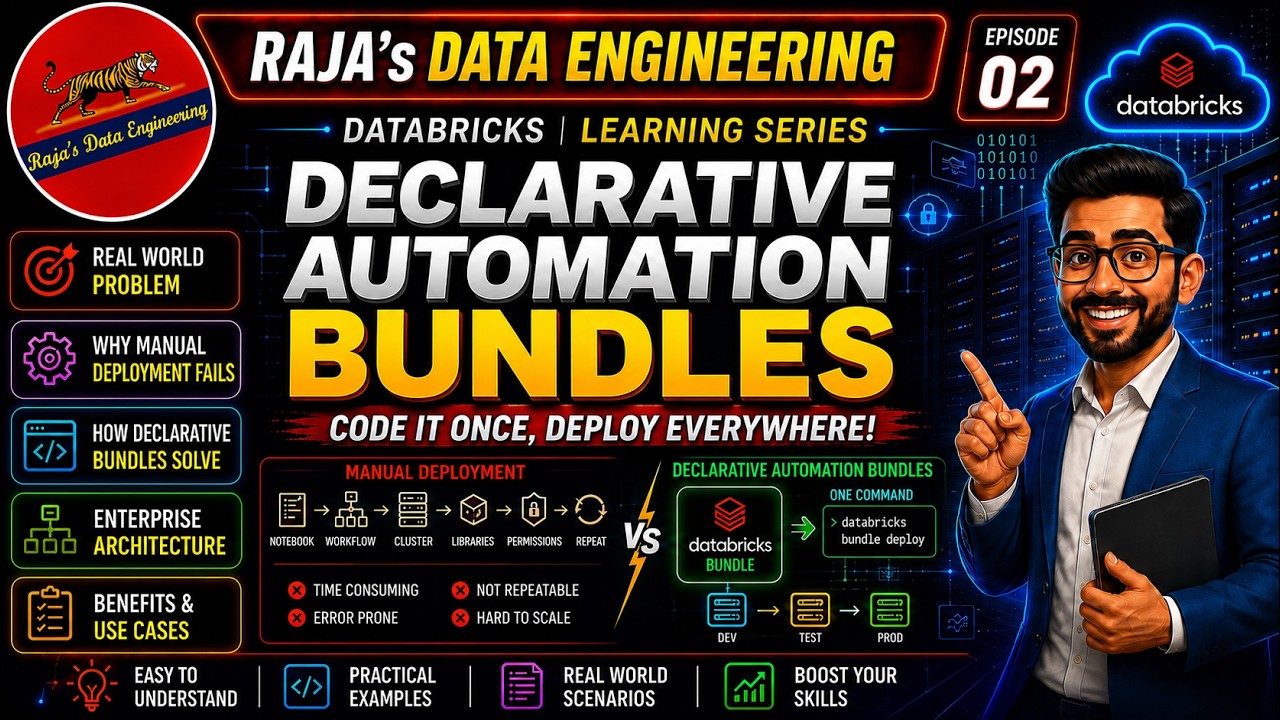
135: Declarative Automation Bundles (Formerly Databricks Asset Bundles)| Part 2 | Sample Project
The video demonstrates how to develop a project using Databrics Asset Bundles to automate a medallion architecture data pipeline. It reviews the required project structure, including the main databrickscfg.yaml file, a job configuration file, and three Python notebooks for the bronze, silver, and gold layers.
Getting 'Unauthorized Access' when Serverless compute is trying to read s3 bucket data
 News
Unity Catalog Fine-Grained Access Controls on External Engines
Unity Catalog enables fine-grained access controls (FGAC) defined once to be enforced consistently across Databricks and external engines like Apache Spark. External engines can also create and write to UC-managed tables, benefiting from centralized governance, automatic optimization, and transactional safety.
The SDK now provides Data API methods for PostgreSQL in Databricks workspaces. Other additions include capacity reservation support for Azure compute, serverless compute options for pipelines, endpoint ID fields for vector indexes, and Dynamics 365 as a connection type.
This release adds the serverlessComputeId field to Delta Live Tables pipeline configurations, including pipeline creation, editing, cloning, and specification models. Databricks practitioners can now programmatically configure and manage serverless compute resources for their pipelines using the Java SDK.
Announcing the Databricks storage ecosystem: Governing the enterprise data estate, wherever it lives
The Databricks Storage Ecosystem now natively connects hybrid and on-premises storage platforms to Databricks via OpenSharing, enabling centralized data governance and GenAI scaling across your entire hybrid infrastructure. Run Databricks Serverless Compute, Genie, and LLMs directly on your on-premises datasets with a zero-copy architecture, instantly turning isolated data into active, AI-ready assets.
Serverless compute outbound IP whitelisting for external API calls
Handle case issue in column names
I am loading data using pyspark with spark_reader.load(data_path) However, in some cases data can be very messy, with fields using different case for each rows (can be in nested structs). Here is an example of data : [ { "field_1": "1", "Field_2": 1, "field_3": "b", "field_4": [{"A": 1, "b": 2}, {"A": 3, "b": 4}], }, { "Field_1": "2", "Field_2": 2, "Field_3": "BB", "Field_4": [{"a": 1, "B": 2}, {"a": 3, "B": 4}], }, ] In this case, the load fails with following error : pyspark.sql.utils.AnalysisException: Found duplicate column(s) in the data schema: `field_1`, `field_3`, `field_4` And I can't find a clean way to handle this case. I tried the following workaround : raw = spark.read.text(data_path) normalized_rdd = raw.rdd.mapPartitions(_normalize_partition) raw_df = spark.read.json(normalized_rdd) With a python function _normalize_partition that normalizes the column names. However it does not work in my case as I use a Databricks serverless compute and the use of .rdd is not allowed. [NOT_IMPLEMENTED] Using custom code using PySpark RDDs is not allowed on serverless compute.
 Tutorials
Secure Serverless: Azure Private Link Service Direct Connect
The video demonstrates how to set up Azure Private Link Service Direct Connect to enable secure, private connectivity from Databricks serverless compute to any private IP address, such as an on-premises database. It details the architecture, prerequisites, and a step-by-step demo of configuring the Private Link Service and a Databricks Network Connectivity Configuration (NCC) to connect to a MySQL instance.
Struggling to learn Spark UI on Databricks, all tutorials are outdated. Any good resources?
Hey everyone, I'm fairly new to Spark and trying to understand how it actually executes jobs specifically the DAG visualization, stages, task metrics, and executor stats in the Spark UI. The problem I'm running into: almost every video tutorial I find was recorded on an older version of Databricks, and the UI looks completely different from what I see today. The gap is big enough that I can't follow along at all. A few specific issues I've hit: \- \`spark.databricks.io.cache.enabled\` throws a CONFIG\_NOT\_AVAILABLE error on newer runtimes \- \`spark.catalog.clearCache()\` throws a NOT\_SUPPORTED error because I'm on Serverless compute (Community Edition) \- The Spark UI itself looks different from what tutorials show I'm using Databricks Community Edition (free tier), which I've now learned only gives Serverless compute so some things just aren't available. My questions: 1. Is there a good up-to-date resource (video, blog, or docs) for understanding the Spark UI on the current Databricks version? 2. For learning Spark internals (DAG, stages, task metrics), is it better to just use local Spark or Google Colab instead of Databricks free tier? 3. Any tips for following older Spark UI tutorials and mentally mapping them to the current UI? Thanks in advance!
Can't start Serverless Warehouse after extend budget
Serverless Compute connectivity issues with .com.br domains vs. Classic Clusters Spark hangs
Beta alert: Materialized Views and Streaming Tables in Serverless Notebooks
Hi folks, Wanted to share a new feature that's in [beta](https://docs.databricks.com/aws/en/ldp/dbsql/compute#serverless-general-compute) \- creating and refreshing materialized views and streaming tables from serverless compute! Users can create MVs natively in SQL or using `spark.sql("CREATE MATERIALIZED VIEW test_mv AS SELECT * from samples.wanderbricks.booking_updates")` in their notebooks and jobs attached to serverless compute. Workspace admins can enable the beta feature, "MV and ST in Serverless Notebooks and Jobs" in their preview settings. It’s currently available in [select regions](https://docs.databricks.com/aws/en/resources/feature-region-support#serverless-aws). Would love to hear y'all's feedback!