Lakehouse Federation
Recent items mentioning Lakehouse Federation across the Databricks ecosystem — releases, news, videos, and community Q&A. Updated hourly.
Databricks' own blog pitches Lakehouse Federation as a way to join on-premise databases with FactSet data from the Marketplace in one SQL query, powering dashboards and Genie natural-language queries with no ingestion pipeline or copy 2. Practitioners are pushing the same "stop migrating" message 45 and testing it by using federation to skip Bronze ingestion for near real-time pipelines, though feasibility and security remain open questions 3. The newest thread shows the practical gap: users are asking how to debug remote_query() performance 1.
Generated daily from the 5 most recent items mentioning Lakehouse Federation. Click any [N] to jump to the source.
How to debug remote_query() performance?
I have a job which queries some Azure SQL DBs connected through UC managed connections (no lakehouse federation) via remote_query() function, and facing pretty long execution times (several minutes) when reading a few thousand rows only. When running the same query via SSMS on the target host, it returns same result within milliseconds. Is there any way how I can debug the pure execution time from Databricks side? I'd like to understand if the queries run slow, or if there's any Databricks or network overhead accounting responsible. Note that remote_query() runs T-SQL in this scenario, not Databricks SQL. So there's no SQL conversion involved at any point in time. submitted by /u/Sea_Basil_6501 [link] [comments]
Unlocking Investment Insights Without Migrating Your Data: Lakehouse Federation
Databricks Lakehouse Federation lets you query on-premise databases directly with standard SQL, while FactSet financial data from the Databricks Marketplace shows up as a native catalog, so neither dataset needs an ingestion pipeline or a copy. A single SQL join across the two catalogs powers dashboards and Genie natural-language queries for portfolio and investment insights, with no intermediate objects persisted.
Using Lakehouse Federation to bypass Bronze ingestion for near real-time pipelines; feasibility and security questions
(Used AI to refine my question better and structure the question) TL;DR: Trying to reduce our pipeline runtime to under 3 minutes by bypassing Bronze ingestion and using Lakehouse Federation. Looking for: A setup guide/checklist I can hand to our IT Admins to establish the initial connection. Advice on a security flaw: How do I prevent users from bypassing our custom Unity Catalog RLS/PII controls simply by materializing (CTAS) data out of the federated catalog? Hey everyone, I’m working through a performance optimization challenge in Azure Databricks and wanted to bounce my intended approach and a few assumptions off the community. The Context -> The Workflow: 10–15 users trigger a Databricks job multiple times a day, sometimes concurrently. -> The Process: We pull data from a source database, apply transformations, and write out about 8 tables into Unity Catalog using a Medallion architecture. The largest table is 20M rows, which we ingest incrementally with a 2-day lookback. -> The Bottleneck: The pipeline currently takes 4–5 minutes (optimized down from 9). Our target is under 3 minutes. Since the source-to-Bronze ingestion alone takes 1.5 to 2 minutes, I am looking into Lakehouse Federation. If we bypass the initial ingestion and query the frequently refreshed datasets directly from a federated catalog, we should comfortably hit that sub-3-minute target. Before I commit to this architecture, I’m hoping to validate a couple of things since I don't have an admin playground environment to test this out myself: Division of Setup / Admin Privileges Because I don't have Account Admin access, I want to understand exactly what I need to ask IT to configure versus what I can do myself. Is there a clear guide or documentation that outlines the standard division of setup? For example, do admins just need to create the CONNECTION object and grant me CREATE FOREIGN CATALOG on the metastore, leaving me to map the schemas? I just want to know the exact steps so I can submit a precise IT ticket. RLS & PII via Control Tables on Federated Data I am independently working on refactoring our data security posture. Currently, we manage PII and Row-Level Security (RLS) using custom "control" tables in Unity Catalog. This works perfectly for our native Databricks tables. My assumption with Federation is that while I can apply these same functions to the foreign tables, anyone with read access to the federated catalog could simply run a CREATE TABLE AS SELECT... (materialize the data), bypassing the dynamic filters entirely and exposing the raw PII. -> Is my understanding of this design flaw accurate? -> Has anyone successfully implemented control-table-based RLS on federated catalogs, or is there a better, more standard way to handle this in a federated setup? Appreciate any insights or reality checks from anyone who has implemented this in production! submitted by /u/aRTy_k1d [link] [comments]
Stop migrating data to Databricks: Are you using Lakehouse Federation yet?
submitted by /u/SalamanderOpen859 [link] [comments]
Stop migrating data to Databricks: Are you using Lakehouse Federation yet?
I’ve been diving deep into Unity Catalog lately, and the "Lakehouse Federation" feature is genuinely a game-changer for reducing ETL bloat. For a long time, the default answer to "how do I analyze this external data?" was "copy it into the lake." We’re finally moving away from that. Here is the breakdown for anyone trying to cut down on unnecessary data movement: The two ways to federate: Catalog Federation (The "Data-Centric" approach): How it works: Connects Databricks to external metadata (AWS Glue, Hive, Snowflake Iceberg). The Magic: Databricks compute does the heavy lifting (reading raw files in S3/ADLS). It’s fast, low-cost, and creates a "live" bridge to your storage. Best for: Incremental migrations and long-term hybrid storage. Query Federation (The "Database-Centric" approach): How it works: Pushes SQL via JDBC to remote databases (Postgres, MySQL, SQL Server, Synapse, etc.). The Magic: The remote DB does the compute. You get the result set back without touching the raw underlying tables. Best for: Ad-hoc reporting against operational/production databases where you don't want to break their performance with heavy ETL loads. Why it’s actually useful: Centralized Security: Unity Catalog acts as the single security guard. You don't need to manage separate credentials for your users on the remote DB. Automatic Lineage: This is the biggest win for me—Databricks automatically maps the lineage from the remote system to your report. No more "mystery data." Unified Syntax: You query everything using catalog.schema.table regardless of whether it’s sitting in Databricks, Snowflake, or an on-prem SQL Server. submitted by /u/SalamanderOpen859 [link] [comments]
Lakehouse Federation (Snowflake) — large query results fail to download from internal stage
Backstage with Lakebase, part 3
Databricks Lakehouse Federation enables teams to query live Backstage operational data directly alongside Unity Catalog billing tables with zero ETL data movement. Learn how to configure the required Postgres authentication workaround for Lakebase and leverage isolated compute to monitor the exact DBU cost of ephemeral development branches.
Why R&D Data Belongs in the Lakehouse - and Why Agents Need It There
Cellcentric built an industrial Data Hub on Databricks using Unity Catalog and Lakehouse Federation, establishing a governed context layer that unifies scattered R&D data for employees and AI agents via an MCP server. By treating documentation as a first-class quality metric, this architecture delivers AI-ready data products that accelerate complex R&D investigations from weeks to days.
How to Deploy Lakehouse Federation Using DABs from the Dev Environment to the Stage Environment
Talk to all your data, wherever it lives
Lakehouse Federation is now available, allowing you to query data across all sources without migration delays. Unity Catalog serves as the single source of truth for both federated and managed data, enabling secure AI workloads and natural language querying.
When Lakehouse Federation "loses" your tables: the silent space-in-name trap
AI readiness in telecommunications
Telco AI initiatives stall at production scale due to data debt, not model quality; Databricks Unity Catalog provides the semantic layer and governance needed to bridge this gap. It unifies disparate systems via Lakehouse Federation, offering AI agents rich context and enabling end-to-end governance for regulatory compliance and accurate operational tasks.
Tutorial: joining Lakebase OLTP and Unity Catalog Delta in one federated SQL query, with a text-to-SQL agent
I wanted to answer one natural-language question that crosses two stores: "Show me orders from high-value customers that shipped last week." The order status is live in Postgres (OLTP). The customer-segment definition lives in a Delta gold table (OLAP). For years this was a two-system query — pull from one, dump to CSV, join in pandas, regret your life. With Lakebase (managed Postgres) sitting in the same Databricks workspace as Unity Catalog, Lakehouse Federation makes that a single SQL statement. And once it's a single statement, you can put a text-to-SQL agent on top of it and stop writing the query by hand. This post walks the whole thing end-to-end: data setup, federation wiring, the agent pipeline, the safety guardrail, and three swappable LLM backends (Gemini via Google AI Studio, GPT-4.1 / o4-mini via GitHub Models, and self-hosted vLLM on a Shadeform H100). The data setup I used the Olist Brazilian e-commerce dataset (Kaggle, \~100MB). Loaded twice on purpose: data/raw/\*.csv (customers, orders, items, products, payments) │ ├─► load\_oltp.py ─────► Lakebase Postgres │ (5 normalized tables — the live source-of-truth) │ └─► data/processed/\*.csv (cleaned, dedup'd) │ └─► UC Volume → build\_olap.py ─► Unity Catalog Delta (gold aggregates: customer\_segments, category\_performance, revenue\_aggregates) The OLTP side is what your app would write to in production. The OLAP side is what your analytics jobs would build nightly. We want to query both from the same agent without it knowing or caring which is which. Wiring Lakehouse Federation Three steps from a clean workspace. * Create the connection in Unity Catalog. `CREATE CONNECTION lakebase_olist` `TYPE postgresql` `OPTIONS (` `host 'YOUR-LAKEBASE-INSTANCE.database.cloud.databricks.com',` `port '5432',` `user 'chandank@becloudready.com',` `password secret('lakebase', 'pat-token'),` `trustServerCertificate 'true'` `);` * Create the foreign catalog. This is where the database option lives — not on the connection. (This trips up most people first time, including me.)`CREATE FOREIGN CATALOG lakebase_olistUSING CONNECTION lakebase_olistOPTIONS (database 'olist');` I wanted to answer one natural-language question that crosses two stores: The order status is live in Postgres (OLTP). The customer-segment definition lives in a Delta gold table (OLAP). For years this was a two-system query — pull from one, dump to CSV, join in pandas, regret your life. With Lakebase (managed Postgres) sitting in the same Databricks workspace as Unity Catalog, Lakehouse Federation makes that a single SQL statement. And once it’s a single statement, you can put a text-to-SQL agent on top of it and stop writing the query by hand. This post walks the whole thing end-to-end: data setup, federation wiring, the agent pipeline, the safety guardrail, and three swappable LLM backends (Gemini via Google AI Studio, GPT-4.1 / o4-mini via GitHub Models, and self-hosted vLLM on a Shadeform H100). # The data setup I used the Olist Brazilian e-commerce dataset (Kaggle, \~100MB). Loaded twice on purpose: data/raw/*.csv (customers, orders, items, products, payments) │ ├─► load_oltp.py ─────► Lakebase Postgres │ (5 normalized tables — the live source-of-truth) │ └─► data/processed/*.csv (cleaned, dedup'd) │ └─► UC Volume → build_olap.py ─► Unity Catalog Delta (gold aggregates: customer_segments, category_performance, revenue_aggregates) The OLTP side is what your app would write to in production. The OLAP side is what your analytics jobs would build nightly. We want to query both from the same agent without it knowing or caring which is which. # Wiring […truncated]
 Tutorials
43 Lakehouse Federation or Query Federation in Databricks | Query External Database |Foreign Catalog
Lakehouse Federation in Databricks allows querying external databases like PostgreSQL directly without importing data, using connections and foreign catalogs with Unity Catalog governance and lineage support. The demo shows setting up a PostgreSQL connection, creating a foreign catalog, and executing federated SQL queries that join external tables.
 Events
Databricks Product Announcements at Data + AI Summit 2024
Databricks launched Delta 4.0 with lakehouse federation and open-source Unity Catalog, plus Databricks AI BI for conversational business intelligence powered by a learning system called Genie. The company also expanded Mosaic AI with serverless GPUs, zero-code model fine-tuning, an agent framework, improved ML Flow tracing, and the Mosaic AI Gateway for governance and auditability.
 Releases
Announcing Databricks Clean Rooms with Live Demo. Presented by Matei Zaharia and Darshana Sivakumar
Databricks Clean Rooms enables two parties to securely collaborate on private data, unstructured assets, and machine learning models without exposing sensitive information. The platform utilizes Delta sharing and Lakehouse Federation to allow cross cloud and cross platform joint analysis using Python, R, or SQL.
 Events
Data + AI Summit 2024 - Keynote Day 2 - Full
The Databricks Data plus AI Summit 2024 keynote announces the general availability of Delta Uniform and Lakehouse Federation, alongside the open-sourcing of Unity Catalog via the Linux Foundation. The presentations also demo duckDB integration with Delta Lake, introduce DuckDB version 1.0, and highlight new features in Delta 4.0 such as liquid clustering and the open variant data type.
 News
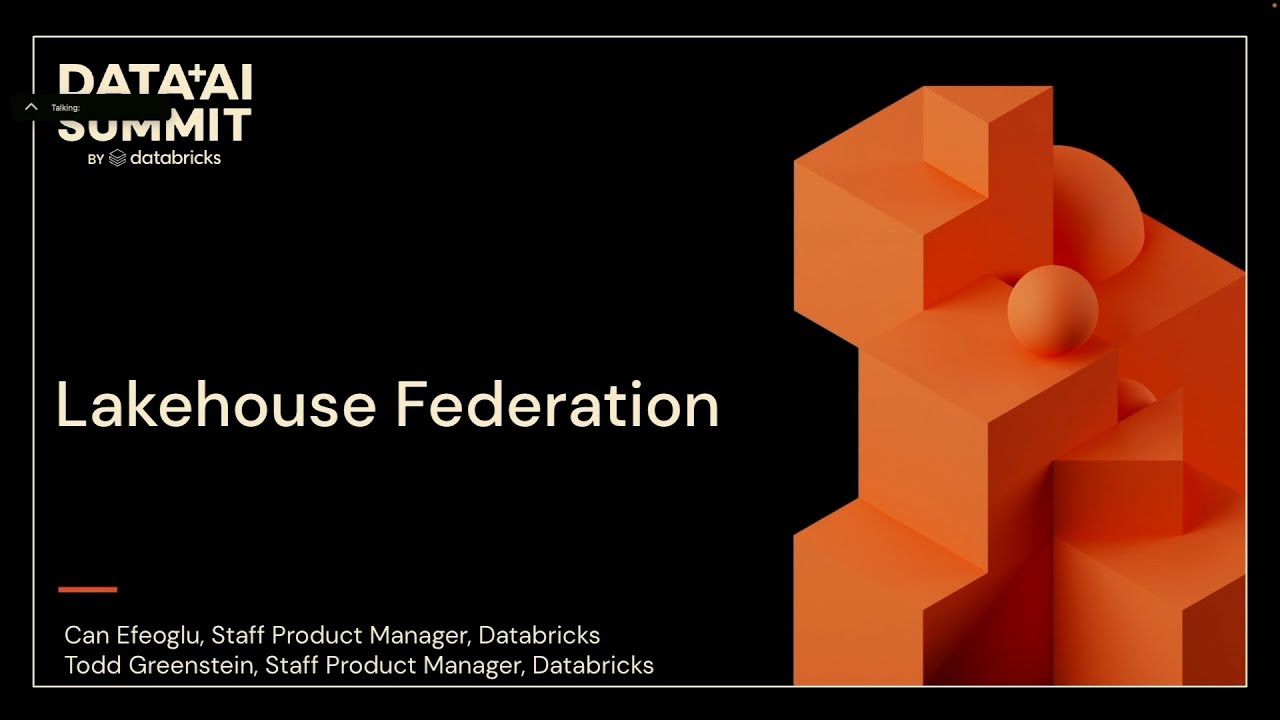
Lakehouse Federation: Access and Governance of External Data Sources from Unity Catalog
Databricks introduces lake house federation to access and govern external data sources, databases, and catalogs directly within unity catalog. The platform enables query pushdown optimization, data discovery, cross-source joins, and interoperability with external compute engines through a hive metastore interface.